This project is in active development. Report issues on GitHub

Back to keyboard layouts

Pronunciation Fonts

Polish pronunciation hints rendered directly in the font — type Polish text and see Cyrillic or IPA phonetics above each digraph.

Type to test

Try: szczegol, przyczyna, dziecko, czlowiek, szynka, zrodlo, ciasto

Sample text

Przeczytaj szczegolnie o dzieciach z Lodzi. Czlowiek szedl przez rzeke, szukajac zrodla. Ciasto z orzechami i szynka na kolacje.

Ligature reference

InputRenderedPronunciation
szczszczщ (shch, as in "fresh cheese")
szszш (sh, as in "shop")
czczч (ch, as in "church")
chchх (kh, as in "Bach")
rzrzж (zh, as in "vision")
dzdzдз (dz, as in "adze")
ciciчь (soft ch, as in "cheer")
sisiшь (soft sh)
ziziжь (soft zh)
iaiaя (ya)
ieieе (ye)
ioioйо (yo)
iuiuю (yu)
óóу (u)
łłв (v/w)

Download font

Try on any website

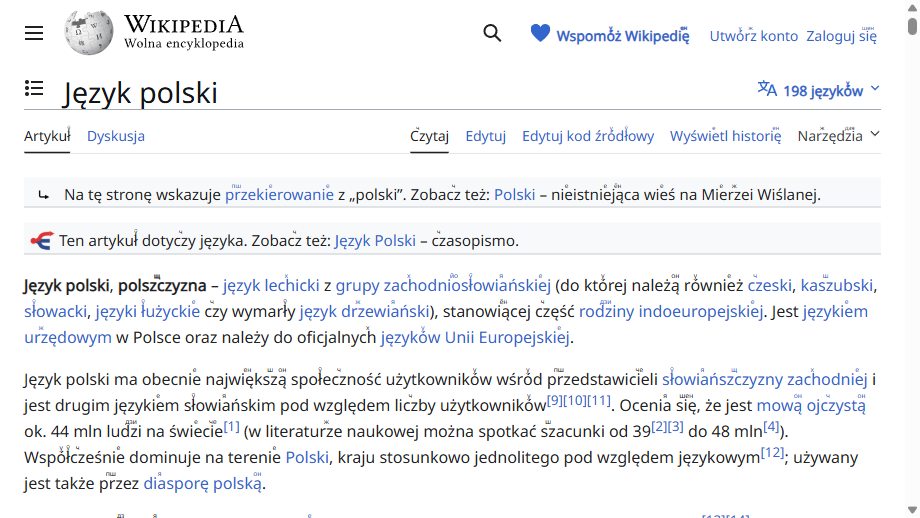
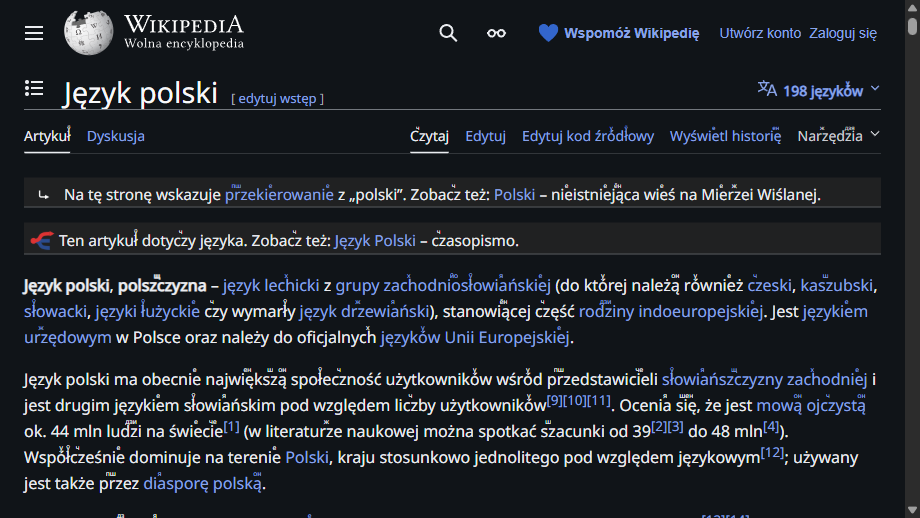
Install one of three browser helpers and Szpargalka Sans takes over on every Polish page you visit, rendering inline pronunciation hints above the digraphs — shown here on the Polish Wikipedia article about the Polish language.

Polish Wikipedia article about the Polish language rendered with Szpargalka Sans in light mode, showing Cyrillic pronunciation hints above Polish digraphs.
Light mode
The same Polish Wikipedia article rendered with Szpargalka Sans in Wikipedia's native dark mode.
Dark mode

One-click download of the pre-built extension zip. Recommended path — it has a popup with per-site toggles and bundles the font as a base64 data URI so it works offline.

  1. Download szpargalka-sans-chrome.zip
  2. Unzip it anywhere on your disk.
  3. Open chrome://extensions and enable Developer mode in the top-right corner.
  4. Click Load unpacked and point it at the unzipped chrome-mv3 folder. The extension ships disabled — click the toolbar icon to flip the global toggle to On, or leave it Off and use per-site overrides only.